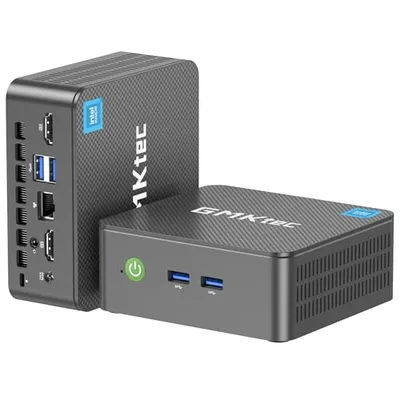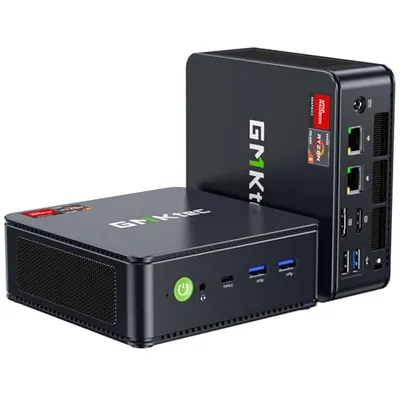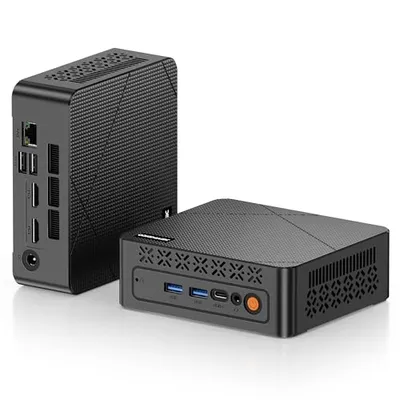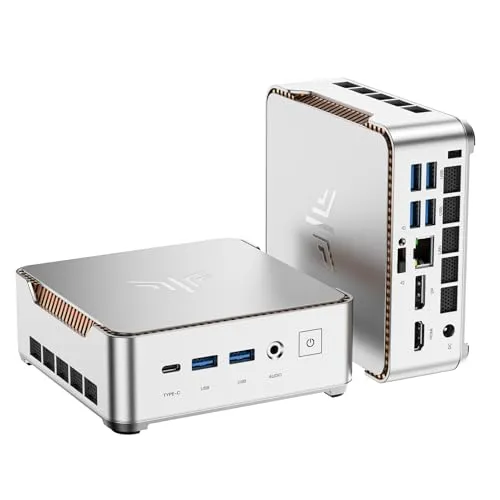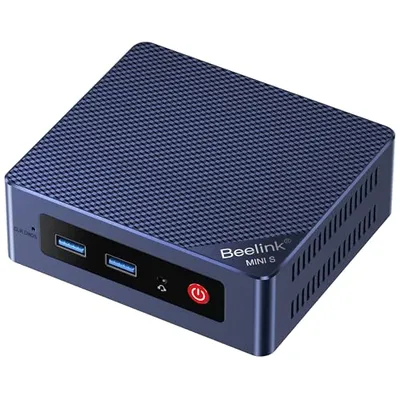
The 'Number of USB Ports' quantifies the physical interface instances available on a device, system, or peripheral for the connection of Universal Serial Bus (USB) peripherals. Each port represents a standardized connector capable of bidirectional data transfer and, often, power delivery, adhering to specific USB protocol versions (e.g., USB 2.0, USB 3.2 Gen 1, USB 4). The aggregate count directly influences a device's expandability and its capacity to interface with multiple external components concurrently, ranging from storage devices and input peripherals to charging cables and complex instrumentation. This metric is critical in hardware design, system configuration, and end-user purchasing decisions, directly impacting operational flexibility and the potential for creating integrated computing environments.
The cardinality of USB ports is a fundamental design parameter, dictated by the intended application and form factor of the host device. For compact mobile devices such as smartphones and tablets, a minimal number (often one or two) is typical, prioritizing portability and employing multi-functionality (e.g., charging, data, display output) over sheer port count. Conversely, desktop computers, docking stations, and servers often feature an extensive array of ports, accommodating high-bandwidth peripherals, multiple simultaneous data streams, and extensive device daisy-chaining capabilities. The physical type of USB port (Type-A, Type-C, Micro-USB, etc.) further diversifies implementation, with Type-C rapidly becoming the de facto standard due to its reversible orientation, higher data transfer rates, and enhanced power delivery capabilities, often supporting alternative modes like Thunderbolt or DisplayPort.
Mechanism and Physical Implementation
Each USB port is an engineered interface comprising specific pin configurations designed to facilitate electrical signaling and power distribution. The physical connector's construction ensures precise alignment for data transmission lines (D+, D-) and power lines (VBUS, GND), alongside identification pins (ID, CC) for advanced protocols like USB Power Delivery and USB Type-C Alternate Modes. The number of ports on a device is determined by motherboard layout, chassis design, and the chipset's USB controller capabilities. Bus architecture, specifically the number of root hubs and the allocated bandwidth per hub, also dictates the practical limit and performance of connected devices. For instance, a single USB controller might support a maximum number of endpoints, influencing the feasible port density without compromising overall system performance.
Industry Standards and Evolution
The Universal Serial Bus (USB) standard, managed by the USB Implementers Forum (USB-IF), has undergone significant evolution, impacting port functionality and the rationale behind port counts. Early USB 1.x standards offered limited bandwidth (12 Mbps), with devices typically featuring 2-4 ports. USB 2.0 (480 Mbps) saw increased adoption and port counts on consumer electronics. The transition to USB 3.x introduced SuperSpeed data rates (5 Gbps, 10 Gbps, 20 Gbps), necessitating more robust signaling and often leading to the inclusion of more high-speed ports. The advent of USB Type-C and the USB Power Delivery (USB PD) specification has revolutionized port functionality, allowing a single port to handle data, power, and video, thus influencing design choices towards fewer, more versatile ports on newer devices. USB4 builds upon the Thunderbolt 3 protocol, offering up to 40 Gbps and dynamic bandwidth allocation, further consolidating functionality into fewer physical connectors.
| USB Standard | Max Data Rate | Typical Port Count (Host) | Key Features |
|---|---|---|---|
| USB 2.0 | 480 Mbps | 4-8 | High-Speed data, backward compatibility |
| USB 3.2 Gen 1 (USB 3.0) | 5 Gbps | 2-6 | SuperSpeed data, increased power output |
| USB 3.2 Gen 2 (USB 3.1) | 10 Gbps | 2-4 | SuperSpeed+ data |
| USB 3.2 Gen 2x2 | 20 Gbps | 1-2 | Dual-lane 10 Gbps operation |
| USB4 | Up to 40 Gbps | 1-2 | Thunderbolt 3 compatibility, dynamic bandwidth allocation, USB PD |
Applications and Device Integration
The number of USB ports is a direct determinant of a device's utility in various contexts. In personal computing, desktop systems commonly offer numerous USB Type-A ports for peripherals like keyboards, mice, webcams, and external storage, alongside at least one USB Type-C for newer devices or high-speed connectivity. Laptops typically balance port count with portability, often featuring a mix of Type-A and Type-C ports, augmented by docking stations that significantly increase available connections. In the Internet of Things (IoT) and smart city infrastructure, embedded systems and edge devices might feature one or two USB ports for sensor integration, debugging, or local data logging. Automotive systems utilize USB ports for infotainment, device charging, and firmware updates, with port placement and count optimized for passenger convenience and diagnostic access.
Performance Metrics and Limitations
Performance is intrinsically linked to the number and type of USB ports. The aggregate bandwidth available to connected devices is a primary consideration. A host controller's architecture, particularly the number of root hubs and the overall bus bandwidth it manages, dictates the maximum theoretical throughput. If multiple high-bandwidth devices (e.g., external SSDs, 4K webcams) are connected to ports sharing the same controller or hub, performance can degrade due to bandwidth contention. Power delivery is another critical metric; the total power output capability of all ports, often governed by USB PD standards, determines the number and type of devices that can be simultaneously powered or charged. Port physical durability and electrical integrity are also key, with higher-quality implementations featuring robust shielding and connectors designed for a specified number of mating cycles.
Pros and Cons
Advantages:
- Expandability: A higher number of ports allows for the connection of more peripherals simultaneously, increasing a device's functionality and versatility.
- Simultaneous Operation: Enables multiple devices to operate concurrently without requiring frequent swapping.
- Standardization: USB ports provide a universal connection standard, facilitating interoperability between a vast array of devices from different manufacturers.
- Power Delivery: Modern USB ports, especially USB-C with PD, can supply significant power, reducing the need for separate power adapters.
Disadvantages:
- Bandwidth Contention: Multiple devices sharing limited controller bandwidth can lead to reduced performance for high-demand peripherals.
- Physical Space Constraints: Especially in compact devices, a high port count can compromise miniaturization efforts or aesthetic design.
- Complexity: Managing numerous connections can become cumbersome, leading to cable clutter.
- Power Limitations: Total power output from all ports may be limited, preventing simultaneous operation of many high-power devices.
Alternatives and Future Trends
While USB remains dominant, alternative connectivity solutions exist. For high-bandwidth, specialized applications, technologies like Thunderbolt (especially in its integrated USB4 form) offer superior performance. Proprietary connectors are sometimes used for specific device functions but lack universal compatibility. In industrial settings, Ethernet and serial communication (RS-232, RS-485) persist for robust data transfer and control. However, the trend is towards further consolidation of functionality into USB Type-C. Future developments will likely focus on increasing USB4 bandwidth (e.g., USB4 Version 2.0 at 80 Gbps), enhancing power delivery capabilities, and improving the integration of USB-C with advanced display and networking protocols, potentially leading to devices with fewer, but significantly more powerful and versatile, ports.