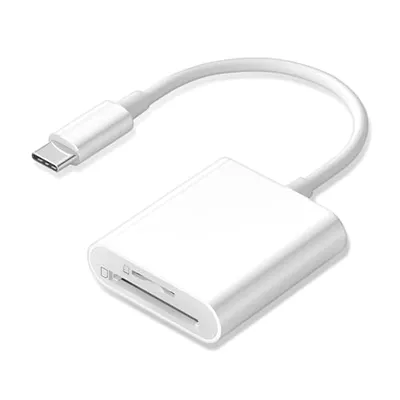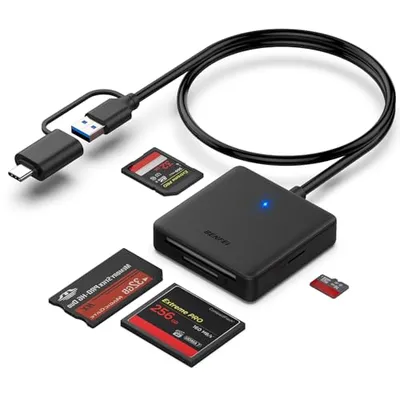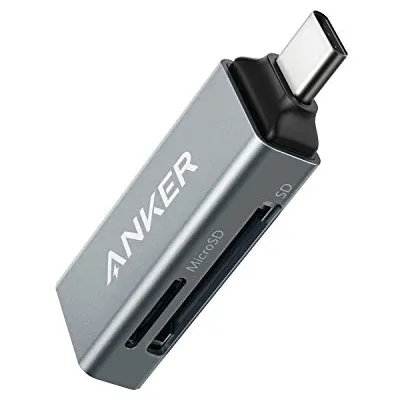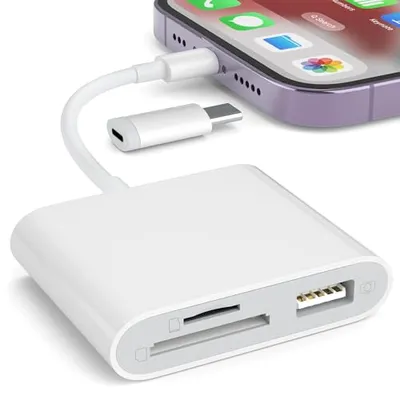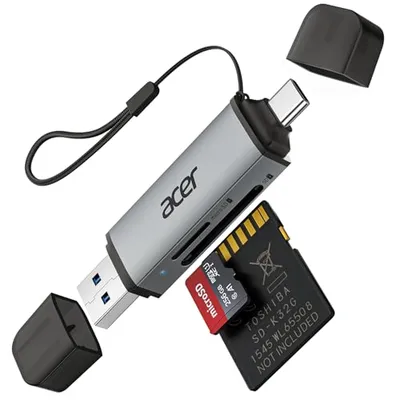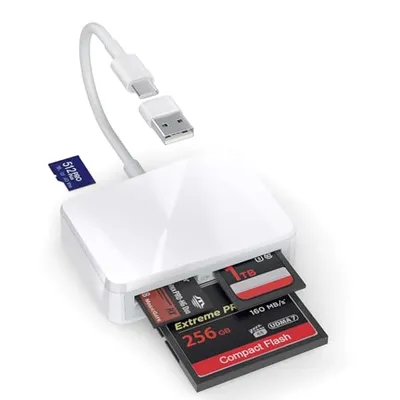
The 'Number of Memory Card Slots' refers to the quantity of discrete physical interfaces integrated into an electronic device designed to accept and interface with removable flash memory cards. These slots facilitate data storage expansion, transfer, and management by conforming to specific physical dimensions and electrical protocols dictated by memory card standards such as SD (Secure Digital), microSD, CompactFlash, or CFexpress. The architecture of these slots involves standardized connector pins that establish electrical continuity for data transmission (e.g., SPI, SD I/O, UHS-I, UHS-II, PCIe lanes for CFexpress), power delivery, and control signals between the host device's internal bus (e.g., PCIe, SDIO) and the memory card's NAND flash memory controller. The physical design prioritizes secure insertion, retention, and reliable electrical contact under varying environmental conditions, often incorporating mechanisms for hot-swapping to enable card replacement without device power cycling.
The specification of the number of memory card slots is a critical design consideration for devices requiring flexible and high-capacity storage, including digital cameras, smartphones, tablets, drones, laptops, and specialized industrial computing hardware. Each slot represents a distinct pathway for data I/O, and their quantity directly impacts the device's potential for augmented storage capacity, multi-card operation (e.g., for RAID configurations or sequential backups in professional imaging equipment), and the diversity of memory card formats supported. The implementation involves intricate printed circuit board (PCB) layout for signal integrity, power regulation, and physical mounting, adhering to established industry interoperability standards to ensure compatibility across different manufacturers' memory cards and host devices.
Technical Specification and Implementation
The number of memory card slots is a direct enumeration of the physical connectors present on a device. Each slot is engineered to interface with a specific memory card form factor and protocol. The most prevalent standards include:
- SD (Secure Digital) Family: Includes SD, SDHC (High Capacity), SDXC (eXtended Capacity), and SDUC (Ultra Capacity), with capacities ranging from gigabytes to terabytes. These utilize interfaces like SD I/O and various UHS (Ultra High Speed) modes (UHS-I, UHS-II, UHS-III) for data transfer rates up to hundreds of MB/s.
- microSD: A miniaturized version of the SD card, commonly found in mobile devices, action cameras, and compact electronics. It shares the same capacity and speed standards as the full-size SD card.
- CompactFlash (CF): A legacy but still relevant standard for high-end professional cameras, known for its robustness and high transfer speeds, particularly its UDMA (Ultra Direct Memory Access) modes.
- CFexpress: An evolution of CompactFlash, leveraging the NVMe protocol over PCIe lanes for significantly higher read/write speeds, crucial for high-resolution video and burst photography.
- Memory Stick: A proprietary format developed by Sony, less common in modern multi-manufacturer ecosystems.
The internal circuitry connecting a memory card slot to the host system typically involves a dedicated controller or a multiplexed bus. For SD and microSD, this is often an SD Host Controller integrated into the System-on-Chip (SoC) or a discrete chip, supporting various transfer modes. For CFexpress, direct PCIe lane allocation is common, providing direct access for the memory card's controller to the host's CPU and RAM via the NVMe protocol, enabling speeds comparable to internal SSDs.
Data Throughput and Performance Metrics
The performance associated with memory card slots is dictated by the slot's interface standard and the capabilities of the connected memory card. Key performance metrics include:
- Sequential Read/Write Speed: Measured in Megabytes per second (MB/s) or Gigabytes per second (GB/s), indicating sustained data transfer rates. This is critical for video recording and large file transfers.
- Random Read/Write IOPS (Input/Output Operations Per Second): Crucial for tasks involving many small file accesses, such as operating system responsiveness or camera buffer clearing.
- Latency: The time delay between initiating a data transfer command and the actual start of data flow.
- Interface Bandwidth: The theoretical maximum data transfer rate supported by the physical interface (e.g., UHS-II offers up to 312 MB/s per lane, PCIe 3.0 x2 offers up to ~2 GB/s).
Devices with multiple memory card slots can offer advanced functionality:
- Redundancy/Backup: Writing the same data to both cards simultaneously for data safety.
- Spanning/Overflow: Filling one card before automatically switching to the second to maximize recording time.
- RAID Configurations: Combining multiple cards for increased performance (RAID 0) or capacity with parity (RAID 1, though less common with consumer memory cards).
Evolution of Memory Card Slot Technology
The proliferation of digital imaging, portable computing, and mobile communication has driven the evolution of memory card slots. Early devices featured single, often proprietary, slots. The advent of SD and its subsequent iterations (SDHC, SDXC, SDUC) became an industry standard, leading to widespread adoption. The demand for higher video resolutions (4K, 8K) and faster burst photography necessitated faster interfaces, leading to the development of UHS-II, UHS-III, and ultimately CFexpress, which bridges the gap between removable media and high-speed internal storage solutions.
Applications
The number of memory card slots in a device directly influences its suitability for various demanding applications:
- Professional Digital Photography and Videography: High-end cameras often feature dual slots (SD or CFexpress) for backup, overflow, or format separation (e.g., JPEG on one, RAW on another). This ensures data integrity and uninterrupted workflow.
- Drones and Action Cameras: Typically feature a single microSD slot for high-capacity, high-speed video recording.
- Laptops and Tablets: Many include a single SD or microSD slot for convenient expansion of storage for media files, documents, or operating system images.
- Smartphones: Primarily utilize microSD slots for user-expandable storage, though this is becoming less common in premium models.
- Industrial and Embedded Systems: May employ SD cards or other ruggedized formats for boot media, data logging, and firmware updates, sometimes requiring multiple slots for robust operation or data redundancy.
- Data Acquisition Systems: Employ high-speed memory card slots (e.g., CFexpress) to capture vast amounts of data from sensors at high sampling rates.
Comparative Analysis of Slot Configurations
The choice of memory card slot configuration is a trade-off between cost, complexity, device size, and functionality.
| Configuration | Typical Devices | Primary Advantage | Primary Disadvantage | Example Speeds (Theoretical Max) |
|---|---|---|---|---|
| Single SD/microSD | Smartphones, Tablets, Compact Cameras, Laptops | Cost-effective, Space-saving | Limited expansion capacity, No redundancy | UHS-I: ~104 MB/s, UHS-II: ~312 MB/s |
| Dual SD/microSD | Mid-range to Pro Cameras, Some Laptops | Increased capacity, Backup/Spanning capability | Slightly higher cost and complexity | UHS-I: ~104 MB/s (per slot), UHS-II: ~312 MB/s (per slot) |
| Single CFexpress Type A/B | High-end Cameras, Video Recorders | Extremely high speeds for intensive workloads | Higher cost of card and slot, Limited compatibility | Type B (PCIe 3.0 x2): ~2000 MB/s |
| Dual CFexpress Type B | Top-tier Professional Cameras | Maximum speed, Redundancy, Capacity for 8K+ video | Highest cost, Complexity, Power consumption | Type B (PCIe 3.0 x2): ~2000 MB/s (per slot) |
Pros and Cons
Pros:
- Storage Expansion: Provides a cost-effective method to increase device storage capacity significantly.
- Data Portability: Enables easy transfer of files between devices by simply swapping cards.
- Removable Storage: Facilitates secure data handling, allowing cards to be removed for safekeeping or offline use.
- Versatility: Supports a wide range of card types and capacities across different applications.
- Hot-Swapping: Many interfaces allow cards to be inserted or removed while the device is powered on.
Cons:
- Speed Limitations: Often slower than internal storage solutions (e.g., NVMe SSDs), especially with older or lower-tier interfaces.
- Durability Concerns: Physical connectors and cards can be prone to damage or wear over time.
- Compatibility Issues: While standards exist, subtle firmware or hardware incompatibilities can arise between cards and host devices.
- Cost of High-Capacity/Speed Cards: Top-tier memory cards can be expensive.
- Power Consumption: High-speed interfaces like PCIe can increase power draw.
Alternatives and Future Outlook
Alternatives to dedicated memory card slots include internal storage (eMMC, UFS, NVMe SSDs), external storage solutions connected via USB or Thunderbolt, and cloud storage services. However, memory card slots remain relevant for their specific advantages in portability, hot-swapping, and specialized high-speed applications, particularly in professional media capture. The future will likely see continued integration of higher-speed interfaces like CFexpress, potentially with increased adoption of PCIe lanes and NVMe protocols, blurring the lines between removable media and internal storage. The development of new memory technologies and form factors will continue to shape the design and capabilities of memory card slots in electronic devices.