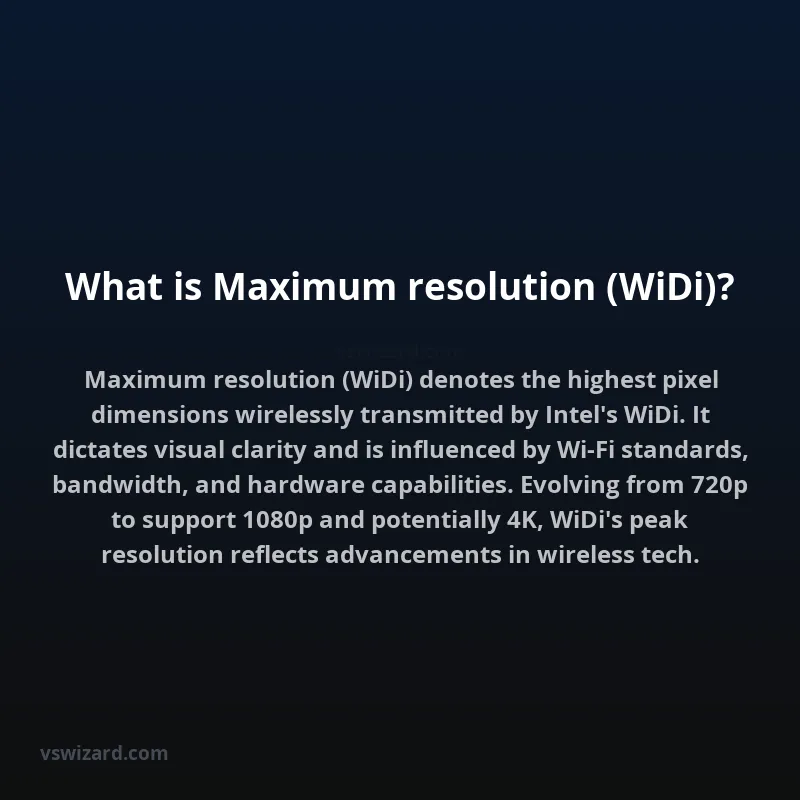
Wireless Display (Wi-Fi) technology, particularly as implemented by Intel, defines a peak visual fidelity capability referred to as maximum resolution. This specification delineates the highest pixel dimensions (width x height) that the WiDi standard can reliably transmit wirelessly from a source device, such as a laptop or smartphone, to a compatible display receiver, such as a television or projector. Achieving this maximum resolution is contingent upon a complex interplay of factors including the underlying wireless communication protocol version, available bandwidth, signal strength, signal-to-noise ratio, and the processing capabilities of both the transmitting and receiving hardware.
The maximum resolution supported by WiDi is a critical performance metric directly influencing user experience, particularly in applications demanding high-definition content playback, detailed data visualization, or immersive gaming. It dictates the clarity, sharpness, and detail of images and video rendered on the external display. As WiDi evolved through various iterations, its maximum supported resolution has increased, reflecting advancements in wireless communication technologies, compression algorithms, and integrated graphics processing, thereby enabling a transition from lower resolutions towards full HD and beyond.
Technical Specifications and Standards
The maximum resolution capability of Intel WiDi is intrinsically linked to the Wi-Fi Direct and Miracast standards, which form the foundational protocols for its operation. Early iterations of WiDi primarily leveraged proprietary Intel protocols, but subsequent versions adopted and contributed to the development of industry standards, enabling broader interoperability. The resolution is typically expressed in terms of pixel count, such as 1080p (1920x1080 pixels) or, in later versions supporting higher bandwidth and efficiency, potentially up to 4K UHD (3840x2160 pixels) under optimal conditions. The ability to sustain these resolutions is a function of the Quality of Service (QoS) parameters negotiated between devices, which include error correction codes, modulation schemes, and data packet retransmission strategies.
Evolution of Resolution Support
The progression of maximum resolution support in WiDi mirrors the advancements in digital display technology and wireless networking. Initially, WiDi was designed to facilitate simple screen mirroring, often limited to resolutions like 720p. As wireless infrastructure improved and demand for higher fidelity grew, Intel iteratively enhanced WiDi. This involved optimizing the video encoding and decoding pipelines, integrating more robust Wi-Fi chipsets capable of higher throughput (e.g., Wi-Fi 4, 5, and 6 standards), and refining the peer-to-peer communication protocols. The transition to resolutions such as 1080p Full HD marked a significant leap, enabling seamless playback of high-definition media. Further developments aimed at supporting 4K resolution required substantial increases in data transmission rates and latency reduction, often necessitating hardware support for newer Wi-Fi standards and advanced codecs like H.265 (HEVC).
Factors Affecting Achieved Resolution
Several environmental and technical factors can impede the attainment of the theoretical maximum resolution for WiDi. These include:
- Bandwidth Limitations: Insufficient available wireless bandwidth due to network congestion or the capabilities of the Wi-Fi standard in use.
- Signal Interference: Radio frequency interference from other wireless devices or physical obstructions (e.g., walls, metal objects) can degrade signal quality.
- Latency: High latency can lead to buffering or dropped frames, forcing the system to reduce resolution or frame rate to maintain a stable connection.
- Hardware Capabilities: The processing power of the source device's CPU and GPU, as well as the WiDi receiver's decoding capabilities, directly impact the ability to encode, transmit, and decode high-resolution video streams in real-time.
- Software Implementation: The efficiency of the WiDi software drivers and the operating system's wireless display stack plays a crucial role.
Performance Metrics and Benchmarking
Evaluating the performance of WiDi at its maximum resolution involves several key metrics. These include achieved resolution (actual pixels transmitted and displayed), frame rate (frames per second, FPS), latency (delay between source action and display output), and connection stability. Benchmarking typically involves transmitting standardized video test patterns, high-motion video clips, and interactive content across various distances and interference levels. Tests often compare WiDi performance against wired HDMI connections or competing wireless standards like Miracast.
| WiDi Version | Max Theoretical Resolution | Typical Achieved Resolution (Optimal) | Primary Wi-Fi Standard |
|---|---|---|---|
| WiDi 1.0 - 3.5 | 720p (1280x720) | 720p | 802.11n |
| WiDi 4.x | 1080p (1920x1080) | 1080p | 802.11n/ac |
| WiDi 5.x (Integration with Miracast) | 1080p (1920x1080) | 1080p | 802.11ac |
| WiDi 6.x (Limited availability/support) | Potentially 4K (3840x2160) | 1080p (common), 4K (experimental/specific hardware) | 802.11ac/ax |
Applications and Use Cases
The primary application of WiDi, particularly when operating at its maximum resolution, is to enable seamless wireless presentation and content sharing in professional and home environments. In business settings, it facilitates wireless projection of presentations, spreadsheets, and video conferencing from laptops to conference room displays or projectors, reducing cable clutter and enabling greater mobility. For consumers, it enables streaming of high-definition movies and TV shows from laptops or tablets to larger displays, mirroring smartphone screens for gaming or app usage, and creating a cable-free entertainment setup. The fidelity offered by higher resolutions is crucial for detailed technical drawings, graphic design previews, and any visual content where pixel-level accuracy is important.
Technical Architecture and Implementation
Intel WiDi operates on the principle of direct peer-to-peer wireless communication, typically using the 5 GHz band of Wi-Fi to minimize interference with other common 2.4 GHz devices. The transmission chain involves:
- Source Device Encoding: The graphics processing unit (GPU) or a dedicated media encoder on the source device captures the display output, compresses it using codecs (e.g., H.264, H.265), and prepares it for wireless transmission.
- Wireless Transmission: The Wi-Fi chipset transmits the compressed video data over the established Wi-Fi Direct link to the receiver.
- Receiver Decoding: The WiDi receiver (often integrated into a display or as a dongle) receives the data, decompresses it using the corresponding codec, and outputs the video signal to the display panel.
The maximum resolution is directly impacted by the bandwidth allocated within the Wi-Fi Direct link and the efficiency of the encoding/decoding process. Higher resolutions demand higher bitrates, placing greater strain on both the wireless link's throughput capacity and the processing power of the involved hardware.
Limitations and Alternatives
While WiDi offered a compelling wireless display solution, it faced several limitations that contributed to its eventual phasing out in favor of industry-wide standards like Miracast. These limitations often included proprietary hardware requirements, potential compatibility issues, and performance variability. The maximum resolution achievable was frequently dependent on specific Intel hardware and drivers. Alternatives to WiDi include:
- Miracast: An industry standard for peer-to-peer screen mirroring, widely supported across Windows, Android, and many smart TVs, offering similar resolutions.
- AirPlay: Apple's proprietary wireless streaming protocol, used for transmitting audio, video, and screen content between Apple devices and AirPlay-compatible receivers.
- Google Cast (Chromecast): Google's protocol for streaming media content from devices to a Chromecast device connected to a display.
- HDMI over Wi-Fi (Wireless HDMI Extenders): Dedicated hardware solutions that transmit HDMI signals wirelessly, often with robust support for high resolutions and lower latency, though typically less integrated than WiDi.
These alternatives often provide broader compatibility and, in some cases, more consistent performance at higher resolutions. The industry has largely coalesced around Miracast as the de facto standard for direct device-to-device wireless display, often leveraging the same underlying Wi-Fi Direct technology.
Conclusion
The maximum resolution of Intel's Wireless Display (WiDi) technology represented a significant milestone in the pursuit of untethered visual content delivery. It quantified the upper limit of pixel fidelity achievable through its wireless transmission protocol, a metric that evolved with successive versions to align with the increasing demands for higher definition imagery. While WiDi has largely been superseded by more broadly adopted industry standards, its technical specifications and the challenges in achieving high resolutions wirelessly laid crucial groundwork for current wireless display solutions, highlighting the persistent engineering efforts required to balance bandwidth, processing power, and signal integrity for an optimal user experience.