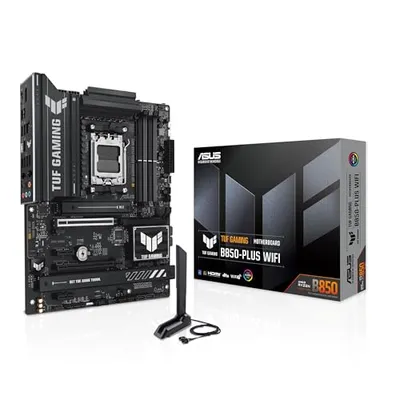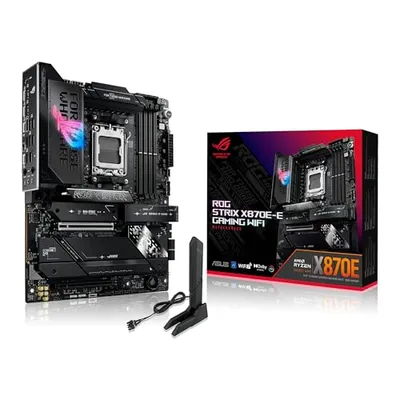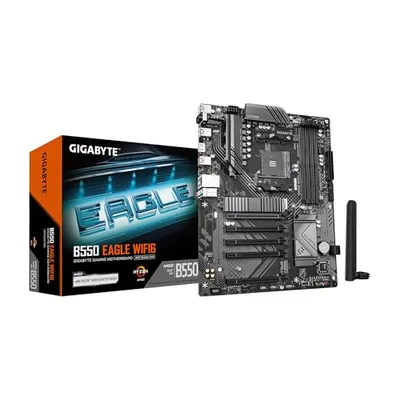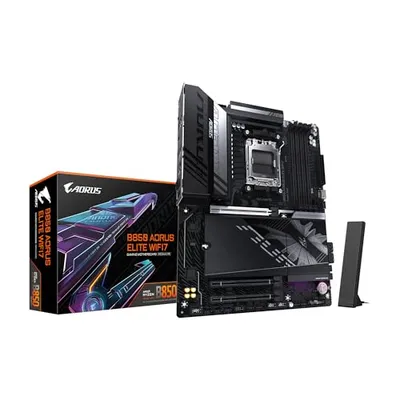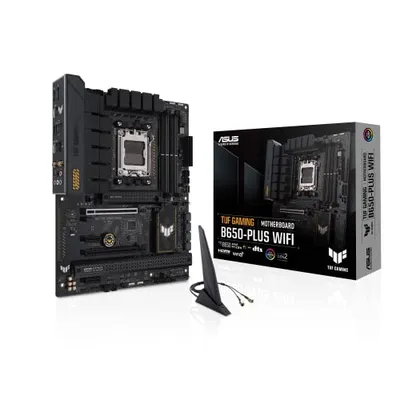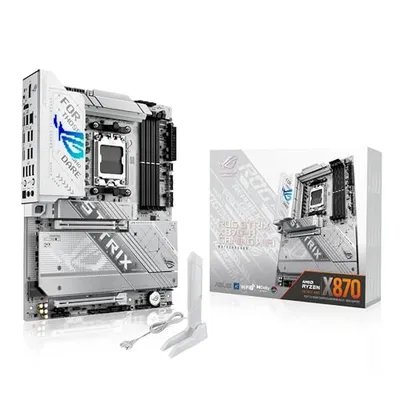
The term "First Slot x16" refers to the primary Peripheral Component Interconnect Express (PCIe) expansion slot on a motherboard, typically the one designated for the most high-bandwidth peripheral, most commonly a graphics processing unit (GPU). This designation is rooted in the physical and electrical configuration of the slot, specifically its "x16" lane count. A PCIe x16 slot provides sixteen parallel data transmission paths, known as lanes, enabling a theoretical maximum bidirectional data transfer rate proportional to the PCIe generation and the number of lanes. For instance, a PCIe 4.0 x16 slot offers a bandwidth of approximately 31.5 GB/s in each direction, summing to over 63 GB/s total. Its positioning as the "first" slot is a convention dictated by motherboard layout and chipset design, prioritizing the highest-performing expansion device.
The significance of the "First Slot x16" lies in its role as a critical performance bottleneck or enabler for high-demand components. Motherboard manufacturers strategically place this slot closest to the CPU socket and ensure it is electrically wired with the maximum available PCIe lanes from the CPU or chipset to support the intense data throughput required by modern GPUs, high-speed network interface cards (NICs), or NVMe storage devices. Deviations from this standard, such as a slot being physically x16 but electrically wired for fewer lanes (e.g., x8 or x4), are often explicitly noted in motherboard specifications to prevent misconfiguration and performance degradation. Understanding this designation is paramount for system builders and enthusiasts aiming to optimize hardware configurations for maximum computational efficiency.
Physical and Electrical Characteristics
The physical form factor of a PCIe x16 slot is universally recognized by its length, which accommodates sixteen electrical contacts. However, the number of active electrical lanes can vary. Slots that are physically x16 but electrically x8, x4, or even x1 are common. The "First Slot x16" conventionally refers to the slot that is both physically x16 and electrically wired to the maximum lane count supported by the CPU or chipset for that particular slot. This is typically achieved through a direct connection to the CPU, bypassing the Platform Controller Hub (PCH) for reduced latency and increased bandwidth, especially for the primary graphics card.
Lane Configuration and Bandwidth
A PCIe lane is a serial, bidirectional data connection. An x16 slot comprises sixteen such lanes. The total bandwidth is a product of the number of lanes, the data rate per lane (which depends on the PCIe generation), and the encoding efficiency. For example:
- PCIe 3.0 x16: ~1 GB/s per lane bidirectional = ~16 GB/s total bidirectional bandwidth.
- PCIe 4.0 x16: ~2 GB/s per lane bidirectional = ~32 GB/s total bidirectional bandwidth.
- PCIe 5.0 x16: ~4 GB/s per lane bidirectional = ~64 GB/s total bidirectional bandwidth.
- PCIe 6.0 x16: ~8 GB/s per lane bidirectional = ~128 GB/s total bidirectional bandwidth (utilizing PAM-4 signaling).
The "First Slot x16" is almost always intended to utilize the full x16 lane configuration to maximize performance for the primary attached device.
Industry Standards and Evolution
The Peripheral Component Interconnect Express (PCIe) standard, developed by the PCI-SIG, has undergone significant evolution since its inception. The x16 form factor has been a consistent offering across generations, providing a standardized interface for high-bandwidth devices. Each new generation doubles the per-lane throughput, thereby increasing the overall bandwidth of an x16 slot, while maintaining backward compatibility. The "First Slot x16" designation is not part of the formal PCIe standard but a practical convention adopted by motherboard manufacturers for ease of system configuration and optimal performance routing.
PCIe Generations and Throughput
| PCIe Generation | Link Rate per Lane (GT/s) | Effective Bandwidth per Lane (GB/s) | Total Bandwidth x16 (GB/s) |
|---|---|---|---|
| PCIe 1.0 | 2.5 | ~0.25 | ~4.0 |
| PCIe 2.0 | 5.0 | ~0.50 | ~8.0 |
| PCIe 3.0 | 8.0 | ~1.00 | ~16.0 |
| PCIe 4.0 | 16.0 | ~2.00 | ~32.0 |
| PCIe 5.0 | 32.0 | ~4.00 | ~64.0 |
| PCIe 6.0 | 64.0 (PAM-4) | ~8.00 | ~128.0 |
Practical Implementation and Considerations
The strategic placement and electrical configuration of the "First Slot x16" are critical for system stability and performance. Users must ensure that their primary expansion card, typically a GPU, is installed in this slot. Installing a high-performance device in a slot that is electrically limited (e.g., x8 or x4) will create a performance bottleneck, preventing the device from operating at its full potential. Motherboard manuals provide detailed diagrams indicating the primary x16 slot and its electrical configuration, along with lane-sharing caveats if applicable.
Multi-GPU Configurations
In systems supporting multiple GPUs (e.g., NVIDIA SLI or AMD CrossFire configurations, or for professional compute tasks), the "First Slot x16" is usually paired with a second x16 slot that may operate at x8, x4, or x16 depending on the CPU and chipset limitations. Understanding how PCIe lanes are bifurcated and shared is crucial for configuring multi-GPU systems to avoid performance degradation. For instance, two GPUs in a common configuration might run at x8/x8, which still provides substantial bandwidth compared to x16/x4.
Performance Metrics and Bottlenecks
The performance of devices installed in the "First Slot x16" is measured by their throughput and latency. The theoretical bandwidth is a key metric, but real-world performance also depends on the specific PCIe generation supported by both the slot and the device, the efficiency of the device's driver and firmware, and the overall system architecture. A CPU or chipset bottleneck can occur if the processing unit cannot feed data to or retrieve data from the x16 device fast enough, even if the slot itself offers ample bandwidth.
Latency Considerations
Latency, the time delay in data transfer, is also critical, particularly for graphics and high-frequency trading applications. Direct CPU connections for the primary x16 slot generally offer lower latency compared to slots routed through the PCH. The evolution of PCIe standards also focuses on reducing latency through architectural improvements like improved transfer protocols and more efficient signaling.
Alternatives and Future Trends
While PCIe x16 remains dominant for high-performance expansion cards, other interfaces exist for specialized applications. For ultra-high-speed storage, direct M.2 NVMe slots (often wired as x4 PCIe) provide an alternative, though typically with fewer lanes. For certain server and high-performance computing (HPC) applications, interconnect technologies like NVIDIA's NVLink offer higher bandwidth and lower latency point-to-point communication between GPUs, bypassing standard PCIe entirely. Future trends in PCIe include increasing lane speeds (e.g., PCIe 7.0), improving signaling efficiency, and potentially denser connector configurations for increased bandwidth density.